P3T4 Taylor Defends Herself from Kapaa Middle School MEDIA on Vimeo.
Sunday, April 19, 2015

Thursday, April 9, 2015
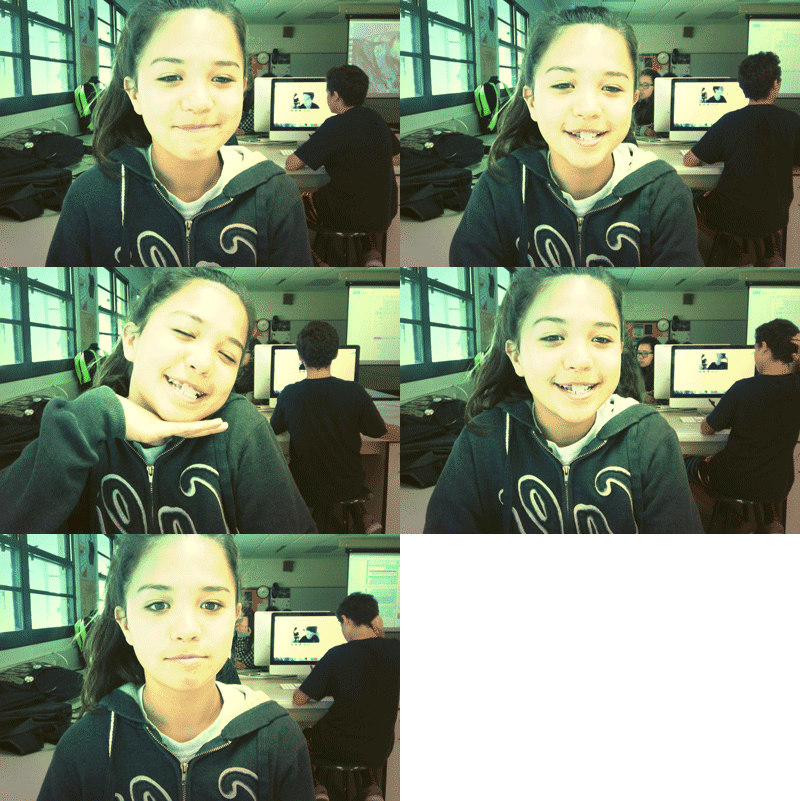
Animation Outtakes
This quarters project is animation! I think this is really cool. Animation is the process of creating motion and shape change. For this project we were grouped in groups of four. My four teammates are Taylor Chang, Jasmine Laplante, and Megan Mahikoa. Two interesting facts about Taylor, Jasmine. And Megan is that Taylor is a really organized person, and she likes to do work way ahead of time so that she doesn't have to worry about last minuet work. Jasmine is Canadian, and she is a great problem solver. And lastly Megan is a quiet student who gets the work done, She also strives for big goals in life.
There is many types of animation. But the two main types of animation Mr.Sanderl wants us to try out is stop-motion and G.I.F. Stop motion is an animation technique to make a physically manipulated object or person appear to move on it's own, And G.I.F stands for graphics interchange format. For our teams project we are using stop-motion. It is really easy to accomplish. You honestly don't need to be specially trained or skilled to do this technique. All you need to have patience. For this technique, if you are doing your stop-motion on a object all you have to do is move it a little then SNAP!, Move it a little again then SNAP, then on and on you get the point right?
The theme for this project is tell your story. So out of our group story we chose was Taylors story. She was bullied in the fourth grade because she was new to the school. This just wasn't at school the bully followed her home she would get text saying hurtful things about her. I think everyone should care because bullying is one of the most common things everywhere. There is no way to stop bullying forever but if smart minds put their heads together and try to figure out a way to help prevent bullying that would be awesome. This is technically not only Taylors story because I am pretty sure that a lot of people have experienced this problem. I myself have had this problem many times. But we chose this to tell everyone how you can solve this problem. Simply all you have to do is apologize and make up. That's all it takes.

There is many types of animation. But the two main types of animation Mr.Sanderl wants us to try out is stop-motion and G.I.F. Stop motion is an animation technique to make a physically manipulated object or person appear to move on it's own, And G.I.F stands for graphics interchange format. For our teams project we are using stop-motion. It is really easy to accomplish. You honestly don't need to be specially trained or skilled to do this technique. All you need to have patience. For this technique, if you are doing your stop-motion on a object all you have to do is move it a little then SNAP!, Move it a little again then SNAP, then on and on you get the point right?
The theme for this project is tell your story. So out of our group story we chose was Taylors story. She was bullied in the fourth grade because she was new to the school. This just wasn't at school the bully followed her home she would get text saying hurtful things about her. I think everyone should care because bullying is one of the most common things everywhere. There is no way to stop bullying forever but if smart minds put their heads together and try to figure out a way to help prevent bullying that would be awesome. This is technically not only Taylors story because I am pretty sure that a lot of people have experienced this problem. I myself have had this problem many times. But we chose this to tell everyone how you can solve this problem. Simply all you have to do is apologize and make up. That's all it takes.
ANIMATION PROCESS... Step-By-Step!
Aspect Ratio: Know It... Understand It… USE IT!
STYKZ EXPORT:
File > Export Animation > Format .mov > Compression H.264 > Width & Height 100%
iMOVIE:
PHOTOSHOP
⌘8 to label Green, Right Click > Batch Rename
Blue Options Bottom > Smallest Size & 72 Resolution
Open P.S. > File > Scripts > Load Files Into Stack
Make Frames from Layers > Reverse Frames
Size > HDV/HDTV 720p Frame Rate: 30 fps
AND VOILA... FIN!
|
Friday, March 13, 2015
Typography Images
Typography is when you have a image of something or someone filled with text. The text can be whatever you want it to be. It can be poems, descriptions, stories, basically whatever you feel like putting within the image! I think that this little project can making a lasting impact because the text within the image can touch hearts, and even the image itself can make a big impression on whoever you are giving it to or, even if you are doing it for yourself. Also I think that you are able to make beautiful artwork that can really make a lasting impact.
This was I think one of the most difficult projects that was given to us in Mr.Sanderls class. One of the most difficult parts of the project was cutting the portrait so that its perfect. Solving that problem was easy all I had to do was except that it wouldn't be perfect. Another difficulty that I had was making different layers. By that I mean that I had a hard time getting my layers in order and getting the layers organized. My solution to that was to ask for help. The main person that had helped me throughout all the projects was Loren she was the one who really made the problem solving really easy for me!
I think that my favorite picture is the one of Mrs.Sanderl. The picture of Mrs.Sanderl. I spent the most time on it and had the most struggle with it. I had to re-do it over and over again because She didn't have enough mid-tones, shadows, ect. Those difficulties helped me make Mrs.Sanderl perfect or expectable. Also Mrs.sanderls picture was my favorite because I love the colors because it matches her perfectly because the colors are happy colors and Mrs.Sanderl is always happy. Okay my three typography images seems random right? So let me explain them to you. The first one is me. The words within me is Weird, procrastinator, crazy, adrenaline-junkie, loving, curious, playful, and random. The colors of the text are my favorite colors. The second one is an innovator his name is Thomas Edison. We had to do this because it was suggested by Mr.Sanderl to do someone who made a difference. This was just a practice so there was no special editing that was needed to be done. All we had to do was copy and paste information to Thomas' face! Lastly is my favorite!! Mrs.Sanderl. Mrs.Sanderls picture was the most difficult and took the most time. Within her is the list of words that describe her. The words are Understanding, caring, flexible, artistic, joyful, never dull, active, smart, sweet, strict, passionate, graceful and resourceful, and lastly graceful. The colors of the words are a gradient of purple and blue. I chose those two colors because it is happy colors and it totally describes Mrs.Sanderl.


Monday, March 2, 2015
Double Exposed Portraits
This couple of weeks in Mr.Sandrels class we have been working on a new project. We are doing photography as always but I think this type of photography is really interesting. This type of photography is called Double Exposure. Actually Double Exposure is not really a type of photography..........It is pretty much like a technique. This technique is used to create beautiful abstract portraits.
Portrait Photography is a type of photography that only catches the chest and above.a Profile view is different from a portrait because in a profile the person that you are taking a picture of will be facing sideways. A portrait is facing straight ahead looking at the camera, See the difference? A silhouette is a drawing that has the outline of something, More common of a human profile filled in with a solid color. A portrait has color within the face and other parts that may be showing.
Honestly I think making a double exposure project is sorta a struggle to make it exactly how you want it. But it is pretty easy to make it a pleasant photo. You just have go through some steps. First you need to take several profile portraits. I think it is useful to take several pictures instead of one because if you have any problem with one picture you can use the extra that you took. Next you have to load on photoshop by selecting File<scripts<load files into stacks. Your pictures need to load into a stack because it is needed to create double exposures. Make sure that the pictures within your body is a textured picture or a picture that symbolizes you. After that you will need to rotate, resize, and crop. While you are doing this you will need to hold down shift or it will "blow up!!!". Then you have to size it to 8.5*11"300px/in. You dont really to size it like this it only apply's to the people who want to print their picture out on a piece of paper. After that you just blend away. you can do this by going into the blending tool located in the side bar where the other tools are and then even out the color tone. Lastly you have to save your beautiful double exposure picture in an organized folder. Try to avoid carless mistakes such as "accidentally deleting it". I would want to make a double exposure because I think making this is very challenging and it takes patience. Also I think that it is a very unique project.
In my double exposure picture I included two pictures that symbolizes me. So the two pictures that I chose that I think represents me is a picture of my volleyball gear and a picture of my dirt bike with its gear. I think that my volleyball represents me because volleyball is one of my passions. Volleyball calms me down when I am stressed. It also calms me down when I am mad or frustrated. This might seem scary but when I am mad or frustrated I go outside and start spiking and hitting the ball really hard. The dirt bike represents me because it helps tell people that I am not the "girly,girl" everybody see's me as. It helps tell people that I can get down and dirty without complaining that I broke a nail. Also riding dirt bike is one of my other passions. Me and my family rides dirt bike every weekend. I think riding dirt bike taught me valuable lessons such as to be an outgoing person and many more! that was the many reasons why my dirt bike and my volleyball represents/symbolizes me.To improve the quality of my work I think I could've spend more time on it because this was a last minute project for me. Luckily with Mr.sanderls help I got it turned in on time and with expectable quality of work. But still I think I could've done way better.

Monday, February 9, 2015
HDR Photography
This past week we have been learning about HDR photography. HDR photograph means High-Dynamic-Range. That also means to take several pictures in different exposure settings. HDR images are used to make a really, really good quality picture. Or HDR is also used for making a way different picture than your original photo. One thing that I like about it is that it makes my picture look one of a kind. One thing I dislike about HDR is that you cant have any movement. Not even the slightest movement or it will create "ghosts."
The key to making an HDR photo is to include exposure compensation. You need a specific kind of camera that has the exposure compensation button. For example a Cannon, and DLSR camera and many more that has this feature. First you need to take seven pictures each with different exposure compensation. Then you open photoshop and do File>Automate>merge to HDR. From there you can play around with the filters and the different options on the computer. On some cameras there is the button that does an automatic HDR [straight from the camera.] personally I like doing my HDR in photoshop because it may take longer but it will come out way better and photoshop has way more options then if you would do an automatic HDR [straight from the camera] photo.
The thought process behind my portrait and landscape pictures is the Rule Of Thirds, Straight horizon lines, Good lighting, And perfect angle to get the best shots of Taylor and the landscape. I also wanted to create a "surrealistic effect" because I think that it would give the viewer a "wowing" feeling. In the making of this HDR project I think I did pretty good. But the one thing I could have fix and re-do is the landscape. Honestly I am not that satisfied with my landscape but I think I tried my hardest and I tried being creative and to work with what I have. This project was honestly very frustrating, but yet a very fun learning experience!


The key to making an HDR photo is to include exposure compensation. You need a specific kind of camera that has the exposure compensation button. For example a Cannon, and DLSR camera and many more that has this feature. First you need to take seven pictures each with different exposure compensation. Then you open photoshop and do File>Automate>merge to HDR. From there you can play around with the filters and the different options on the computer. On some cameras there is the button that does an automatic HDR [straight from the camera.] personally I like doing my HDR in photoshop because it may take longer but it will come out way better and photoshop has way more options then if you would do an automatic HDR [straight from the camera] photo.
The thought process behind my portrait and landscape pictures is the Rule Of Thirds, Straight horizon lines, Good lighting, And perfect angle to get the best shots of Taylor and the landscape. I also wanted to create a "surrealistic effect" because I think that it would give the viewer a "wowing" feeling. In the making of this HDR project I think I did pretty good. But the one thing I could have fix and re-do is the landscape. Honestly I am not that satisfied with my landscape but I think I tried my hardest and I tried being creative and to work with what I have. This project was honestly very frustrating, but yet a very fun learning experience!
Monday, January 12, 2015
Movie Poster Promo
The title for my movie trailer is the missing! The main characters in this movie poster is violet and her friends Gretchon (Nahele Keale), Karen (Makena Kahananui), And jazmin (Jasmine Laplante). The place that the movie poster is going to take place at a sleepover at Gretchon's house. They are all going to sit in circle with in the bed and the picture is going to look like the camera is floating above of us. I think our poster is going to be awesome and it is going to be successful.
The Title of our movie poster is the missing. Since the title is a little bit dramatic, I added a spooky affect to it to give a little hit to the movie trailer. The other text included in my movie title is some critics suggestions. The characters in the trailer and the person who is playing the part, and the name of the producer of our movies company. To make the text unique I used kerning, Kerning is when you adjust the space between words/sentence.
The overall impact that that the filters and effects put on my movie poster is really awsome,and clear. The filters and effects help put a spooky/mysterious feel to it. It also helped set the perfect idea of mystery to the story/film that was made. with the effects it matched perfectly with the movie trailer theme. I thought it was cool that us the students could create a full movie trailer that involved team work.


Monday, December 1, 2014
Proactive or Procrastination?
To be honest I think I am a procrastinator. The reason why I think I am a procrastinator because I always do everything last minute, and sometimes everything works out,and sometimes it blows up in my face and becomes a big fat mess!!!! But sometimes I can be proactive because if I am feeling that I have to get something done right away I get on whatever I have to do right away and I finish it with perfection, because if it is not perfection I will spend as long as possible perfecting it! Even though I try to be proactive all the time, I end up most of the time being a procrastinator. Being a procrastinator is not a bad thing but I think being proactive person is more of a better choice.
My level of productivity on my free time is very little. On my free time I like to sleep, eat, watch Netflix, and sleep. Unless I have to go to volleyball practice or if I have to get something done! In that case my level productivity is pretty high. To get my work done I have to be totally focused on the project that I am doing or else I will not be able to finish my work because I am easily distracted and I have a short attention spand.
I would try to be a proactive person to change one thing about my work habits. Honestly I don't think being a proactive person is that hard,But I can be a doubtful person. If anyone thinks being a procrastinator is hard, well thats their opinion but being a procrastinator is pretty hard. It is very stressful to know that you have a lot of work that you have to do. So I will have to try as hard as I can to get out of my comfort zone to get my work done and be a proactive person.
My level of productivity on my free time is very little. On my free time I like to sleep, eat, watch Netflix, and sleep. Unless I have to go to volleyball practice or if I have to get something done! In that case my level productivity is pretty high. To get my work done I have to be totally focused on the project that I am doing or else I will not be able to finish my work because I am easily distracted and I have a short attention spand.
I would try to be a proactive person to change one thing about my work habits. Honestly I don't think being a proactive person is that hard,But I can be a doubtful person. If anyone thinks being a procrastinator is hard, well thats their opinion but being a procrastinator is pretty hard. It is very stressful to know that you have a lot of work that you have to do. So I will have to try as hard as I can to get out of my comfort zone to get my work done and be a proactive person.
Subscribe to:
Posts (Atom)